Build your model
Three ways to start, then the eleven sections of the editor, one at a time.
Pick how to start
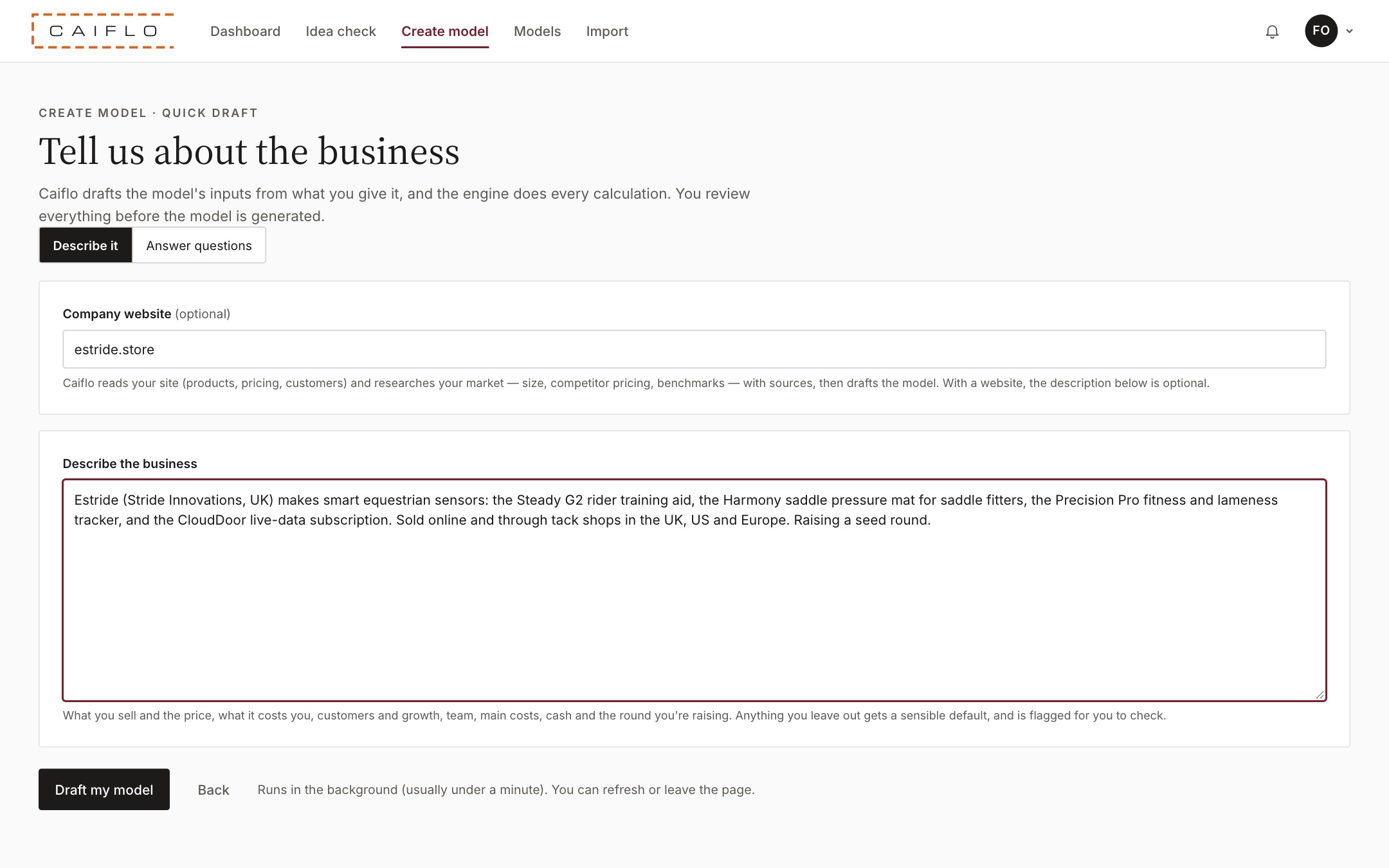
Go to Create model. There are three ways in, and they all end up in the same editor.
- Describe your business: write a few lines about what you sell, or enter your website. Caiflo prepares a first draft of products, prices, team, costs and funding in about a minute, and lists every assumption it made so you can check each one.
- Build it step by step: fill in eleven short sections yourself. Allow 15 to 30 minutes.
- Import a spreadsheet: upload an Excel model you already have, in any layout. You see what was found before anything is saved.
- Just exploring? Open the worked example at the bottom of the page. It's a made-up hardware and subscription company that you can change freely.
Whichever way you start, you go through the same sections before the model is generated. A draft or an import saves typing, but every number is still yours to check, and investors will ask about them.
Tip: Not sure the idea is worth a full model yet? Run an Idea check first (see the last section of this chapter).
1. Company and timeline
Who the model is for and the period it covers.
- Enter the Company name, a Model name (for example "Seed round plan, March"), and who prepared it.
- Choose the Country. This sets the currency, sales tax, corporation tax and employer payroll rules. US and EU companies can also pick a state or member state.
- Set the start month and how many years to forecast. Three to five years is normal for investors.
- Use Notes and key assumptions for anything a reader should know before they look at the numbers.
Investors read the cover first. The country matters more than people expect: it changes the tax on every sale and the true cost of every hire.
2. Tax and opening position
The tax rules, plus anything the business already owns or owes on day one.
- Check the tax settings the country filled in. Change them only if your situation is different, for example if you aren't registered for VAT yet.
- Under Opening balance sheet, enter the cash in the bank on the start date, plus any money customers owe you (debtors), stock, bills you owe (creditors), equipment and existing loans.
- Leave everything at zero if the company hasn't started trading.
The forecast starts from these numbers. If the opening cash is wrong, every month after it is wrong too, including the month you run out of money.
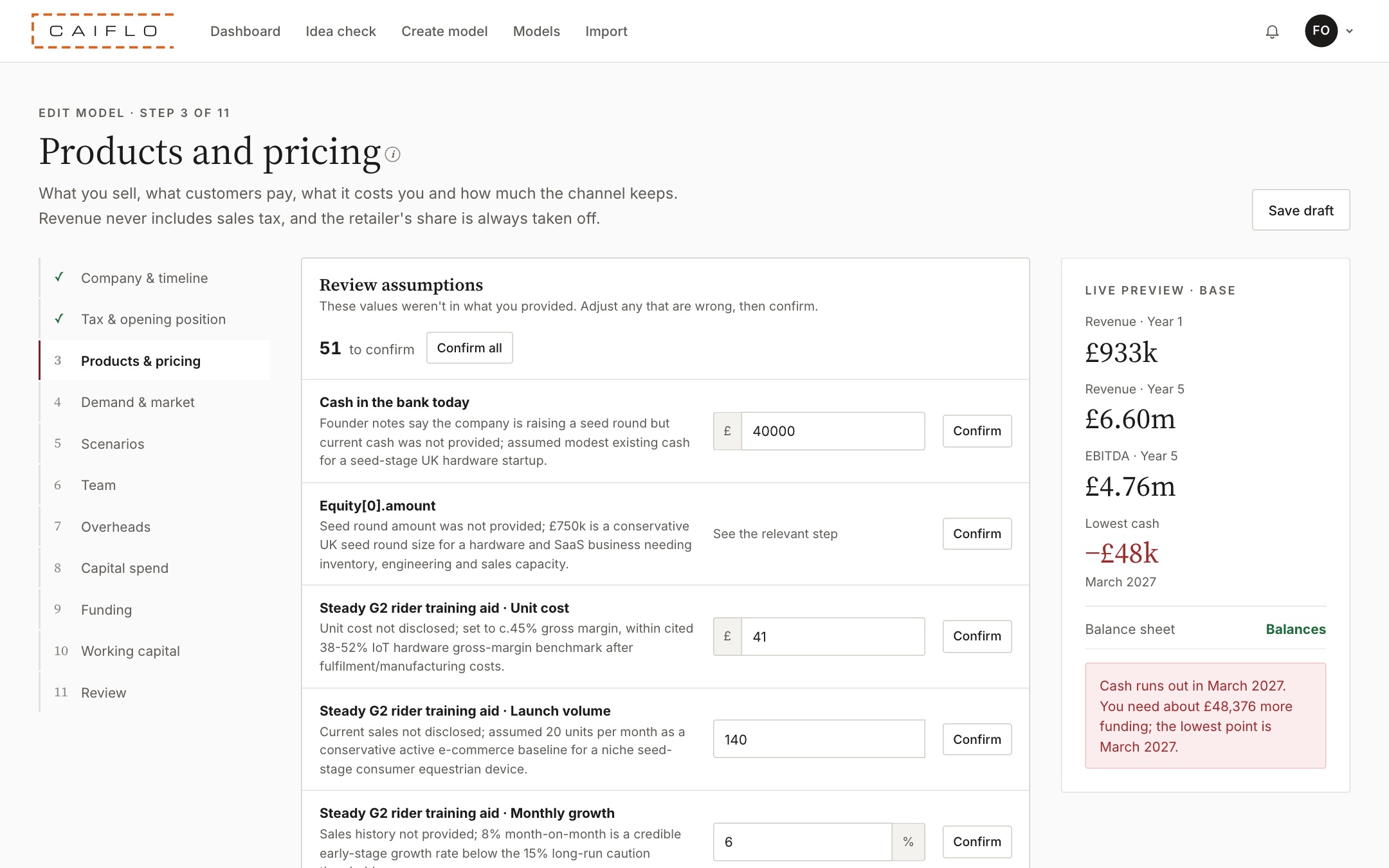
3. Products and pricing
What you sell, what customers pay and what it costs you.
- Add each product or service, with its Launch month.
- Enter the price the customer pays. Sales tax is taken off for you, so revenue never includes it.
- If you sell through shops or distributors, tick Sold through retailers / distributors and enter their margin. Caiflo takes their share off your revenue.
- Enter your cost per unit. Add a Bulk discount on unit cost if it falls as you buy more.
- For subscriptions, enter the monthly price and the Monthly churn (the share of subscribers who cancel each month).
This is where most models go wrong. The usual mistakes are counting VAT as revenue, forgetting the retailer's cut, or setting margins that are too good for the industry. Caiflo flags margins that look out of line, with a source for the benchmark.
4. Demand and market
How many you sell each month, and how big the market really is.
- Set the starting monthly volume and the Monthly growth.
- Use Growth slows by so growth tapers off. Nothing grows at 20% a month for five years, and investors know it.
- Add Seasonal demand if your sales peak at certain times of year.
- Under Market and capacity limits, enter the Target market size, the most of it you could realistically win, and your Production capacity. Sales stop growing when they hit either limit.
Growth is the number investors push hardest on. A curve that slows down, and that stays inside a market you can explain, is far more believable than a straight line upwards.
5. Scenarios
What happens if things go worse, or better, than planned.
- Base, Downside and Stress are set up for you.
- Adjust how much each one changes volume, price, unit cost and running costs. For example, the Downside might have 25% fewer sales and 10% higher costs.
Every investor asks "what if sales are half what you think?" With scenarios you can answer on the spot, and show you still have cash in the bad case.
6. Team
Every hire, with start date and salary.
- Add each Role with its Department, FTE (1 for full time, 0.5 for half time), Annual salary per FTE and Start month.
- Check Employer on-costs. The country fills in employer tax and pension, so a salary of 50,000 might cost you nearer 57,000.
- Set an Annual pay rise.
- Use Later change for someone who starts part time and goes full time, or gets a raise after funding.
People are usually the biggest cost, and the hiring plan shows how you'll use the money. Investors look at whether the team grows in step with sales, for example a sales team that stays at one person while revenue triples.
7. Overheads and launch costs
Rent, marketing, software, professional fees and everything else.
- Add each cost with a Name and a category.
- Choose how it behaves: a fixed monthly amount, a cost per head, or a Share of revenue (common for marketing and payment fees).
- Add an Annual increase for costs that rise each year.
- Use Launch then run-rate for costs that are high at launch and settle down later, such as a launch campaign.
Running costs decide how fast you burn cash. Forgetting the small ones (insurance, accounting, software) adds up, and an investor will notice.
8. Capital spend
Equipment, tooling and building your own software.
- Add equipment and tooling with its cost, the month you buy it and its Useful life.
- Set IT equipment per new hire so laptops are bought automatically when people join.
- Add capitalised development if you're building software or IP you'll use for years.
- If you'll sell an asset, enter the month and the Sale proceeds.
Capital spend leaves the bank straight away, but only reaches the profit and loss bit by bit, as depreciation or amortisation. Getting it right is why the cash flow and the profit can tell such different stories.
9. Funding: the ask
How much you're raising, when, and what each tranche of money will deliver.
- Under The ask, add one row per tranche. For example, Round 1 of 400,000 in month 3, and Round 2 of 600,000 in month 15.
- For each one, fill in Delivers: the milestone that money has to reach. For example "Launch in 20 shops and reach 5,000 customers".
- Add a Pre-money valuation if it's agreed, and any Option pool after round the investors want. Caiflo then works out the cap table and dilution.
- Add any loans, shareholder loans or finance leases under Debt and leases.
- Set a Minimum cash buffer: the least you ever want in the bank. Three to six months of costs is common.
- Underneath, Caiflo shows how many months each tranche lasts if the next one never comes. Red means the money runs out first.
The ask is the first thing an investor wants to know: how much, for what, and how long it lasts. Splitting it into tranches with clear deliverables shows them exactly what they're paying for, and when you'll be back for more. See The ask and Runway from this tranche in the glossary.
10. Working capital
The timing of cash: when customers pay you and when you pay others.
- Enter how many days customers take to pay (Direct customers pay after). Retailers often take longer, so set them separately.
- Enter how many days you take to pay suppliers.
- Set Stock held, in days of sales.
- Add Customer deposits / pre-orders if customers pay before they get the product.
A profitable business can still run out of cash if customers pay in 60 days and suppliers want paying in 30. Working capital is where that shows up.
11. Review and generate
Check the essentials, then build the full model.
- Read the list under What the model will flag. Each item says what's wrong and offers a fix, often a single click.
- Click Generate model. The income statement, cash flow and balance sheet are built for every month, and the balance sheet balances.
- You can come back and change anything at any time: click Edit assumptions on the model page.
Fixing the flags now is quicker than explaining them to an investor later. The live preview on the right shows revenue, profit and the lowest cash point as you type, so you can see the effect of each change straight away.
Import a spreadsheet
Already have a model in Excel? Bring it in rather than starting again.
- Go to Import in the menu.
- Either Download blank template, fill it in and upload it, or upload your own workbook in any layout (.xlsx, up to 10 MB).
- Caiflo shows what it found and where each figure came from, before anything is saved.
- For your own workbooks, it also checks the spreadsheet itself, for example numbers typed over formulas or figures saved as text, and names the sheet and cell.
- Click Open in editor and work through the sections as above.
Your existing work isn't wasted, and you see the spreadsheet problems an investor's analyst would spot before they do. See Spreadsheet forensics.
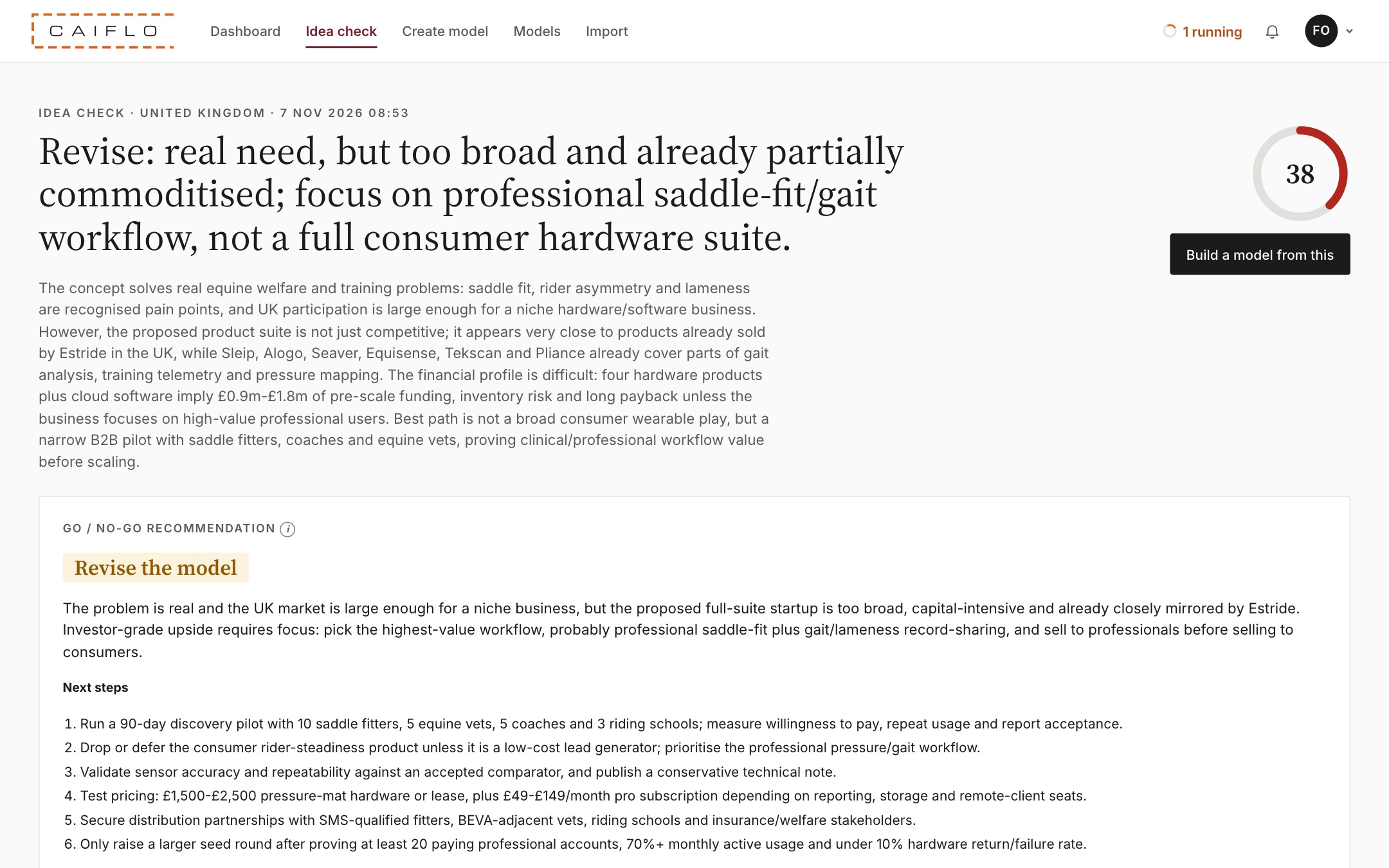
Check an idea first
A quick look at whether an idea is worth building a model for.
- Go to Idea check.
- Describe the idea in a few lines and choose the market.
- Caiflo research looks at the market, competitors and likely numbers, and scores the idea on four things: business concept, financial model, market opportunity and commercial viability. Every claim comes with its source.
- If it looks promising, click Open the model to carry on with a draft model.
It's a cheap way to find a weak idea before you spend a weekend on spreadsheets. Claims without a source are left out on purpose.