Getting started
Create your account, pick the right account type and find your way around.
Choose your account type
Caiflo has three kinds of account. They see different menus, so it's worth picking the right one at the start. You can change it later in your profile.
- Founder or consultant: you build financial models for a business, usually your own, and share them with investors.
- Investor: founders share models with you, and you check them. You also get a deal room for everything you're looking at.
- Team: you're an accountant, finance firm or freelancer building models for several client companies, with colleagues.
The account type decides what you land on after signing in. Founders start on the dashboard, investors and teams on their deal room. Picking the wrong one isn't a problem, it just means more clicks.
Create your account
It takes about a minute.
- Click Start free at the top of caiflo.com.
- Choose your account type, then enter your name, your company or fund, your work email and a password (at least 10 characters, with a capital letter, a small letter and a number).
- Tick that you accept the terms. Tick Send me product updates only if you want our newsletter.
- Open the email we send you and click the confirmation link. Check your spam folder if it hasn't arrived after a couple of minutes.
- Sign in. Or use Sign in with Microsoft if your company uses Microsoft 365, and skip the password entirely.
Confirming your email matters more than it seems. Investor links and team invitations only open for a confirmed address that matches the one they were sent to. That's what stops a forwarded link from working for someone else.
The plan screen on your first sign-in
The first time you sign in, we show you the plans once and suggest the one that fits your account type.
- Have a look at what each plan includes.
- Pick a plan to go to the payment page, or click Continue on Starter (free).
- You can change plan at any time: open the menu under your initials and choose Plan & usage.
Nobody has to pay to get started. Starter lets you build one full model, step by step. Paid plans add sharing with investors, Excel download and import, quick drafts, and the investor checks.
If someone invited you
If a team or a founder sent you a link, start from that email rather than from the website.
- Click the button in the email.
- Team or client invitation: if you don't have a Caiflo account yet, click Accept and open the models. We set up the account for the email address the invitation went to, then ask you to choose a password, and you go straight to the models.
- Model shared with you: sign in, or create a free account, with the email address the link was sent to. The model then opens, and it also appears under Shared with me.
Links are tied to the email address they were sent to. If you sign in with a different address, Caiflo tells you which one to use.
Find your way around
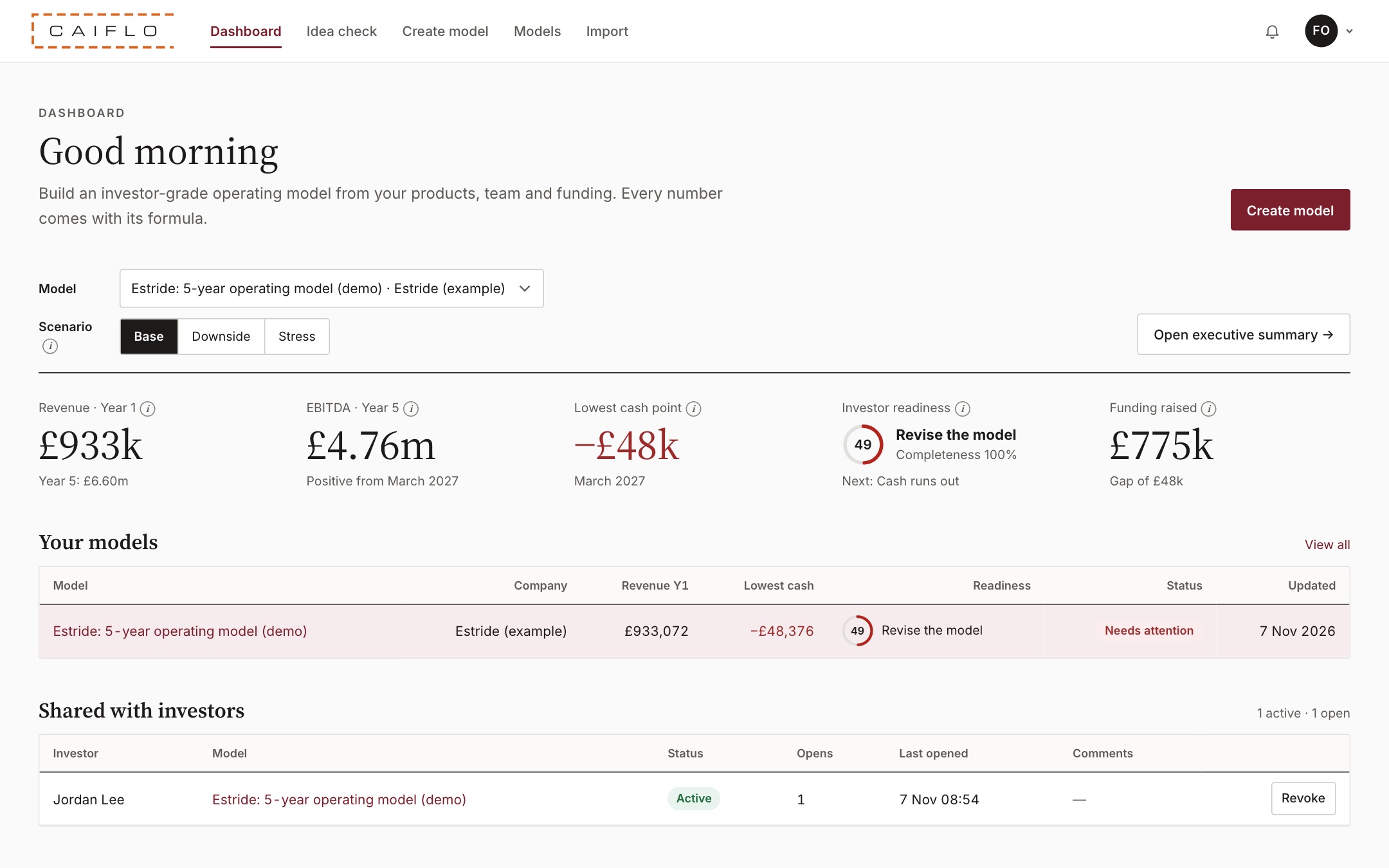
Everything lives in the menu across the top.
- Dashboard shows your latest model, the money you're asking for, the runway it buys and the investor readiness score.
- Models lists every model you've built. Create model starts a new one.
- Idea check looks at a business idea before you build a full model.
- The bell shows new comments from investors. The plan name next to it shows your plan and its renewal date.
- Your initials on the right open Account & security, Company & tax settings, Logo & branding, Plan & usage and sign-out.
Wherever you see a small (i), click it. It explains the number or field in plain English, using the same wording as the glossary.